This is part 2 of an article series. You can read the previous one here
So now that I have a working server running Debian, we need to actually run useful things on it, otherwise it’s a hunk of plastic sipping electricity under my bed. Why not start with something simple, getting a file server running on here so I can transfer files to/from it. I mean the laptop has 1 TB of storage so I might as well use it.
Time to do the Samba
In order to create a file server that can be easily accessed from Windows, MacOS, Linux, and even IOS, I need to create an SMB (Server Message Block) share and there exists a piece of software called samba that sets this up for you.
And oh my god does it make it easy for you. All I had to do basically install it, make a folder, change some permissions, edit one config file, and run it. Then boom, I now have a file server I can store/retrieve files from.
And it worked, at least on my home network. I brought it back to my dorm and I couldn’t connect to it. Turns out my university blocks internal network connections on any port that isn’t HTTP/HTTPS or SSH.
No need to fear WebDAV is to the rescue
After doing some research I learned that there exists a protocol that works on top of HTTP called WebDAV that integrates with Windows File Explorer, similar to samba. The best part is that you can create a WebDAV server with nginx or apache, they have that functionality with a plugin.
I installed nginx and the WebDAV plugin, setup the configuration and tried to connect to it on my laptop.
It failed. Nothing ever works the first try.
I uninstalled nginx and tried it with apache and still no luck.
The next best thing
Since HTTP works on the dorm network but WebDAV and Samba don’t, I figured that an app that used a browser interface to read/write files would be the only way to get file sharing to work on the server.
I found this project called Filebrowser that runs off a single Docker image and hosts a web app with an interface similar to Google Drive
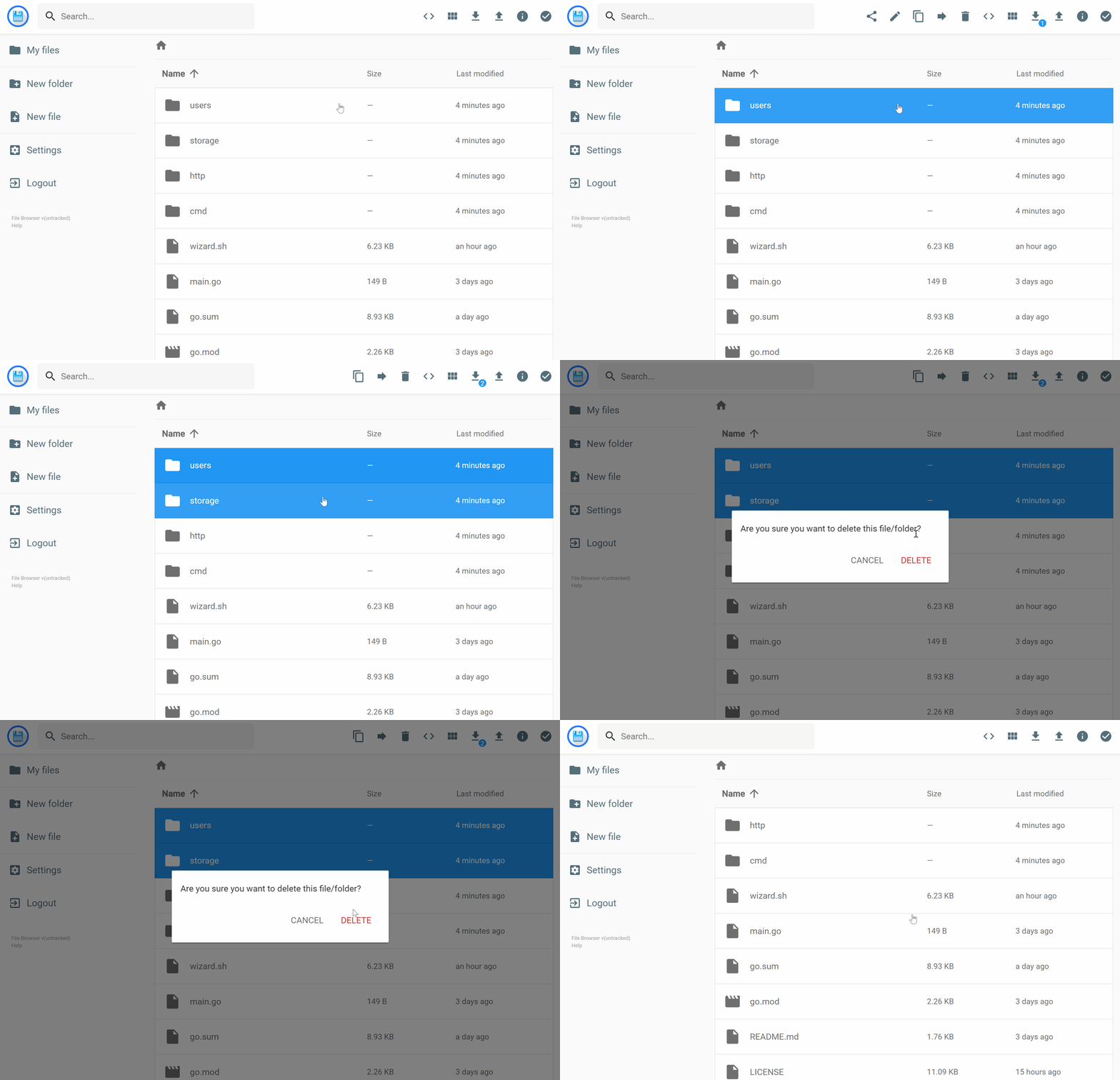 Source: https://filebrowser.org/
I downloaded the Docker image, spun it up and it works. I can finally use my server for storing files, even if it isn’t as easy as having it mapped in File Explorer.
It works across all devices, even my phone, and is super lightweight.