So I’ve always wanted to try building a homelab and experimenting with running my own server, however homelabs are expensive, require a lot of space, and good networking infrastructure. I unfortunately have none of these as I am a broke college student living in a dorm. But thats when I had an idea, I had a bunch of old laptops I used to use lying around at home, why not turn one of those into a server?
I mean it has a built in UPS (a battery) and if you can get one with a decent CPU and upgradable RAM/Storage, it makes a pretty economical server. Plus it’s portable so you can take it wherever you go, making it great for a college student.
Choosing the hardware
I have three laptops I could’ve chosen from:
- An ASUS laptop with an Intel Pentium processor, 4GB RAM, and a 128 GB EMMC drive that I used in middle school
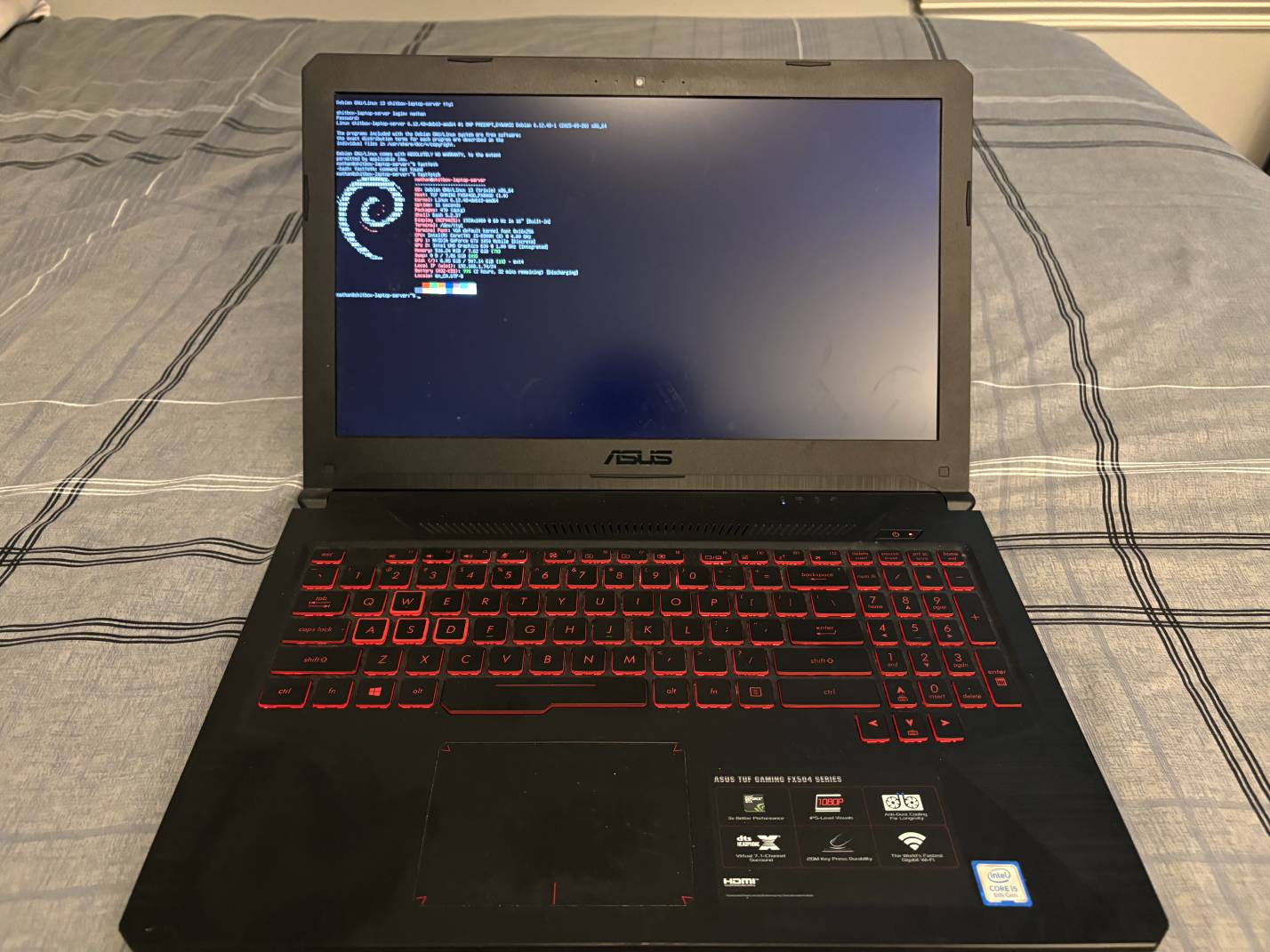
- An ASUS TUF GAMING FX504 Gaming Laptop with an i5-8300H, 8 GB RAM, 1 TB SSD, and GTX 1050 that I used before I built a custom PC
- An ASUS Zenbook with an i5-1135G7, 8 GB RAM, 512 GB SSD that I used in high school
The first option I immediately ruled out, 4 GB RAM in 2025 would be an interesting experience to say the least, alongside the 4 core Intel Pentium processor (probably haven’t heard that name in a while…)
My high school laptop I also ruled out because it wasn’t upgradeable (soldered on RAM and SSD)
So I went with the gaming laptop because it had a decent CPU (4 cores/8 threads), good amount of storage with a second slot for another HDD/SSD, a GPU which I could use for media streaming or something, and upgradable RAM.
I decided to call it the S***box Laptop server
Here’s a photo for reference:
Operating System
With the hardware chosen, it was time to choose an OS. Originally the laptop was running Windows 10, which would not be good for a server (especially now that Windows 10 is end-of-life. RIP to one of the greats, you were taken away from us too soon). I knew I needed to install Linux so I decided to go with a good beginner option, Ubuntu Server 24.04 LTS. I flashed a USB with an image, booted the laptop into it and started the installer. It was pretty easy, just following the instructions, choosing partitions etc. But there was one problem: networking.
The installer wouldn’t connect to my home Wi-Fi, and the laptop has an ethernet port but I have no way to connect it because I live in a dorm that was built in the last 5 years. So I decided to continue without it, thinking I could connect when the OS was installed.
Boy was I wrong.
I followed all the steps on how you would get Ubuntu Server connected to Wi-Fi and nothing would work. I found out it needed a package to work with WPA2 secured networks but since I couldn’t connect to the internet, I couldn’t get it to work.
I tried reinstalling, so I could setup networking in the installer but no matter what I tried the installer would not recognize the Wi-Fi card no matter what I did.
So I guess Ubuntu is a no-go
Operating System Take Two
I then decided to try Ubuntu’s source distro, Debian. From what I can gather, Debian just works out of the box with no hassle needed.
So I re-flashed the USB with a Debian 13 image, plugged it in, and booted up the laptop. Going through the installer everything was working but then I got to the moment of truth: Network Setup. Holding my breath, I selected my Wi-Fi, inputted my password and click connect. A few moments later, it connected. No hassle. No need for dependencies. No missing drivers for the network card. It. Just. Worked.
Now with Debian installed, I have a working server and the nice thing about Debian is in the installer you can have it setup a SSH server for you so no need to configure that, I can just remote into it right away.
I’ll make more posts later on about setting up different features